Skip to content

3D Trajectory Visualization

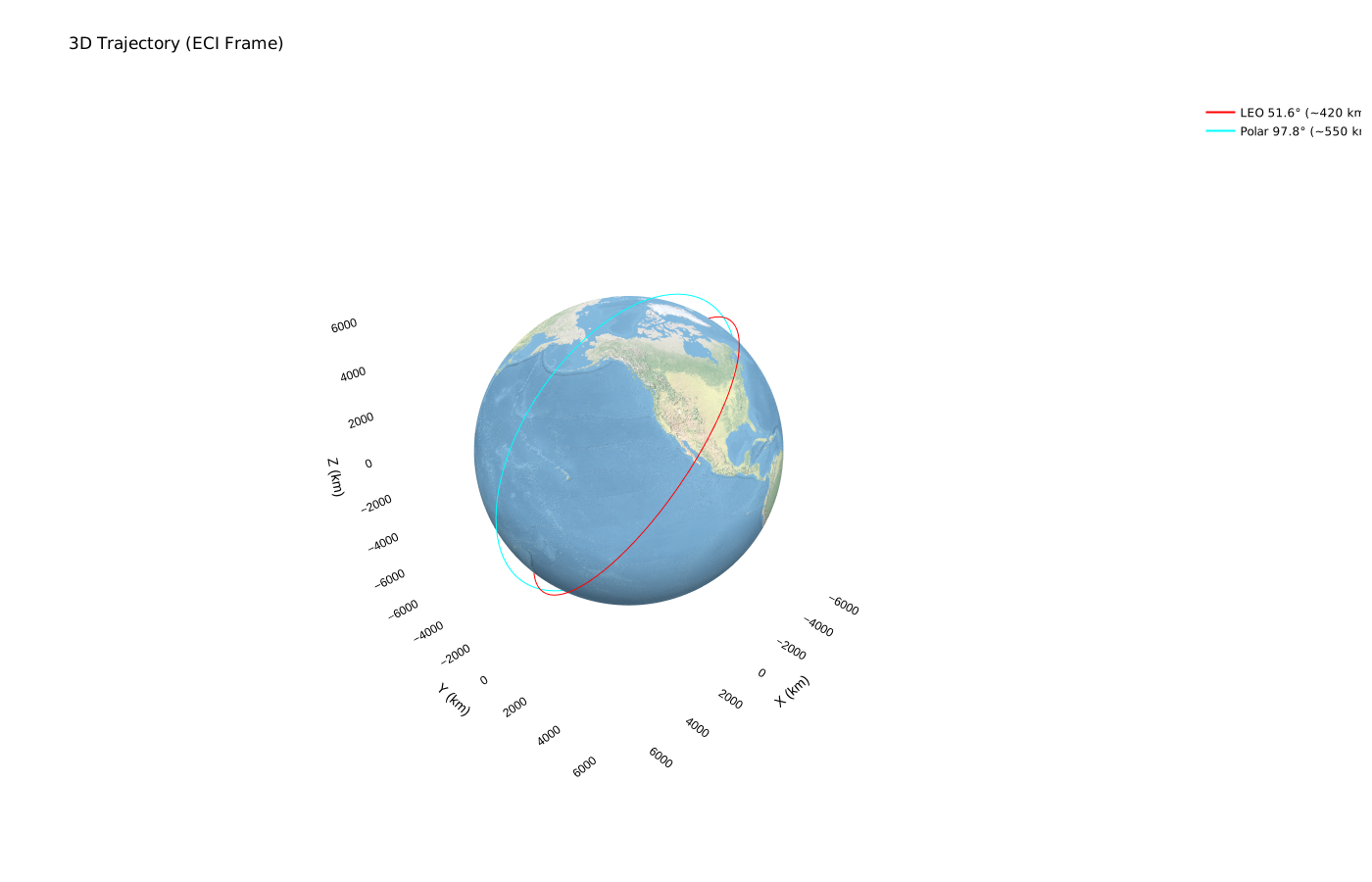
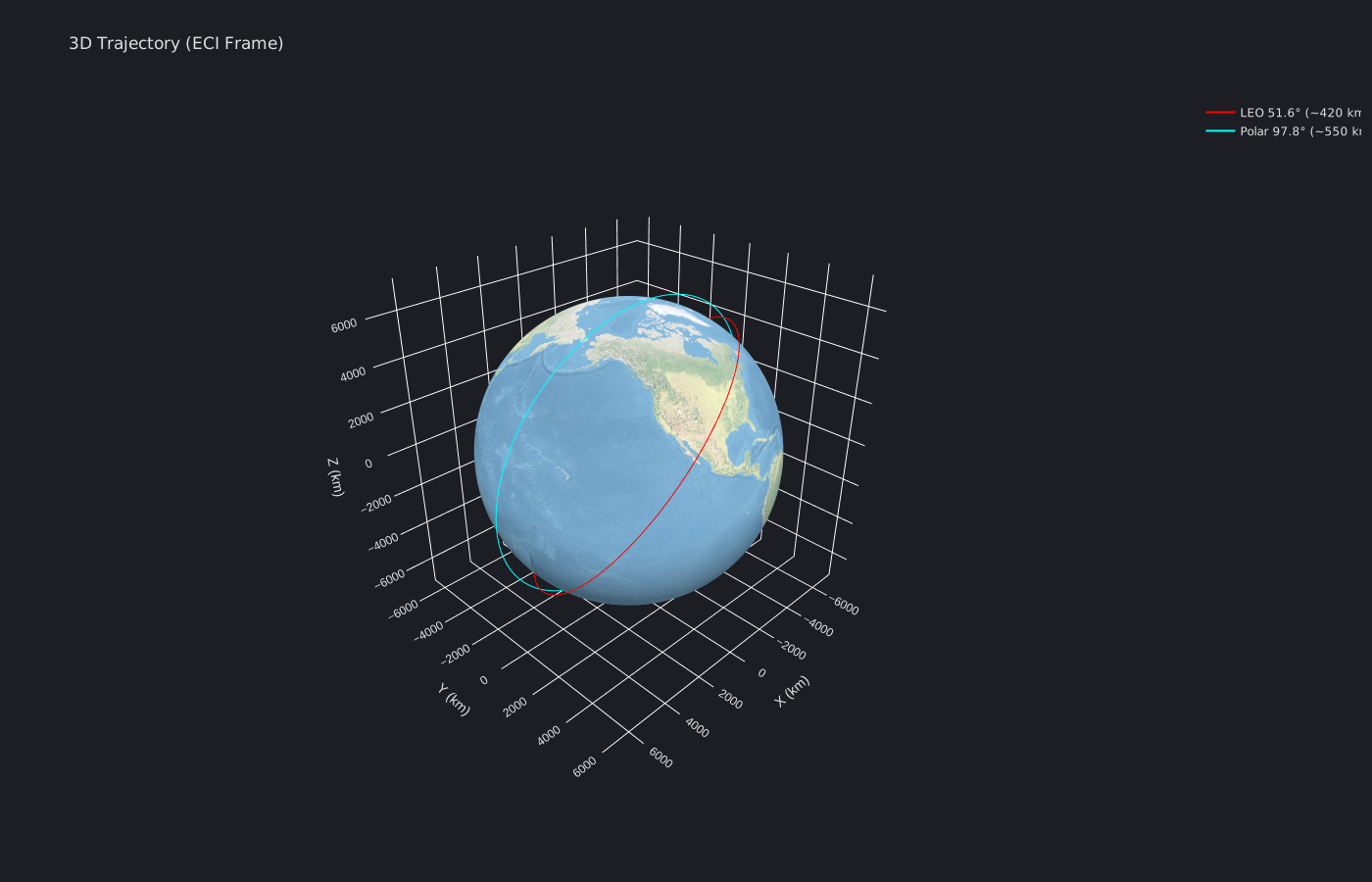
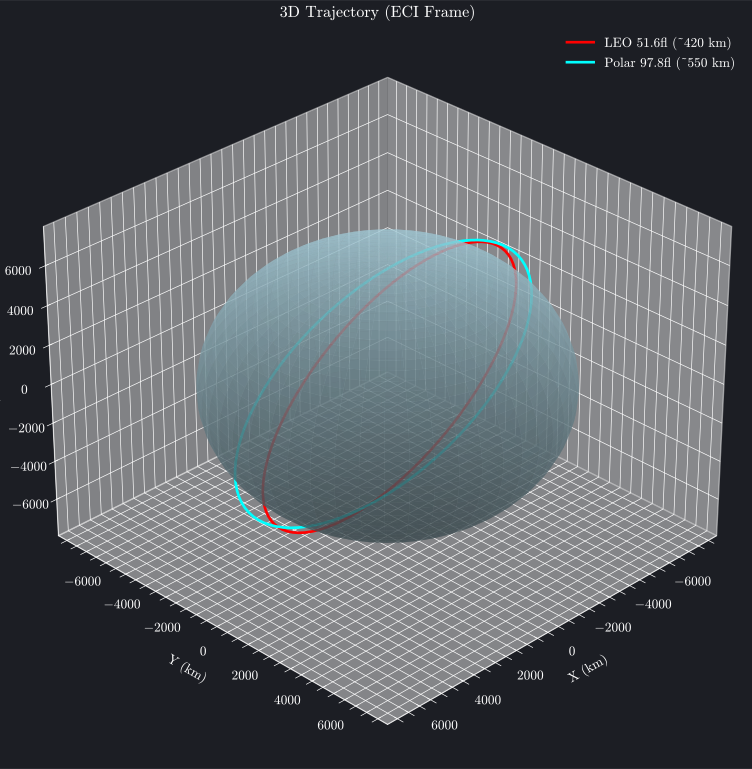
Three-dimensional trajectory plots display orbital paths in Earth-Centered Inertial (ECI) coordinates, providing intuitive spatial understanding of satellite motion. The plot_trajectory_3d function renders trajectories with optional Earth sphere visualization, camera controls, and support for multiple orbits with different colors and labels.

Interactive 3D Trajectory (Plotly)

The plotly backend creates fully interactive 3D plots. Click and drag to rotate, scroll to zoom, and double-click to reset the view.

Simple Texture (Interactive)

Blue Marble Texture

Note

Textues are provided as image-only in documentation to reduce page load times. Interactive versions can be generated using the provided code.
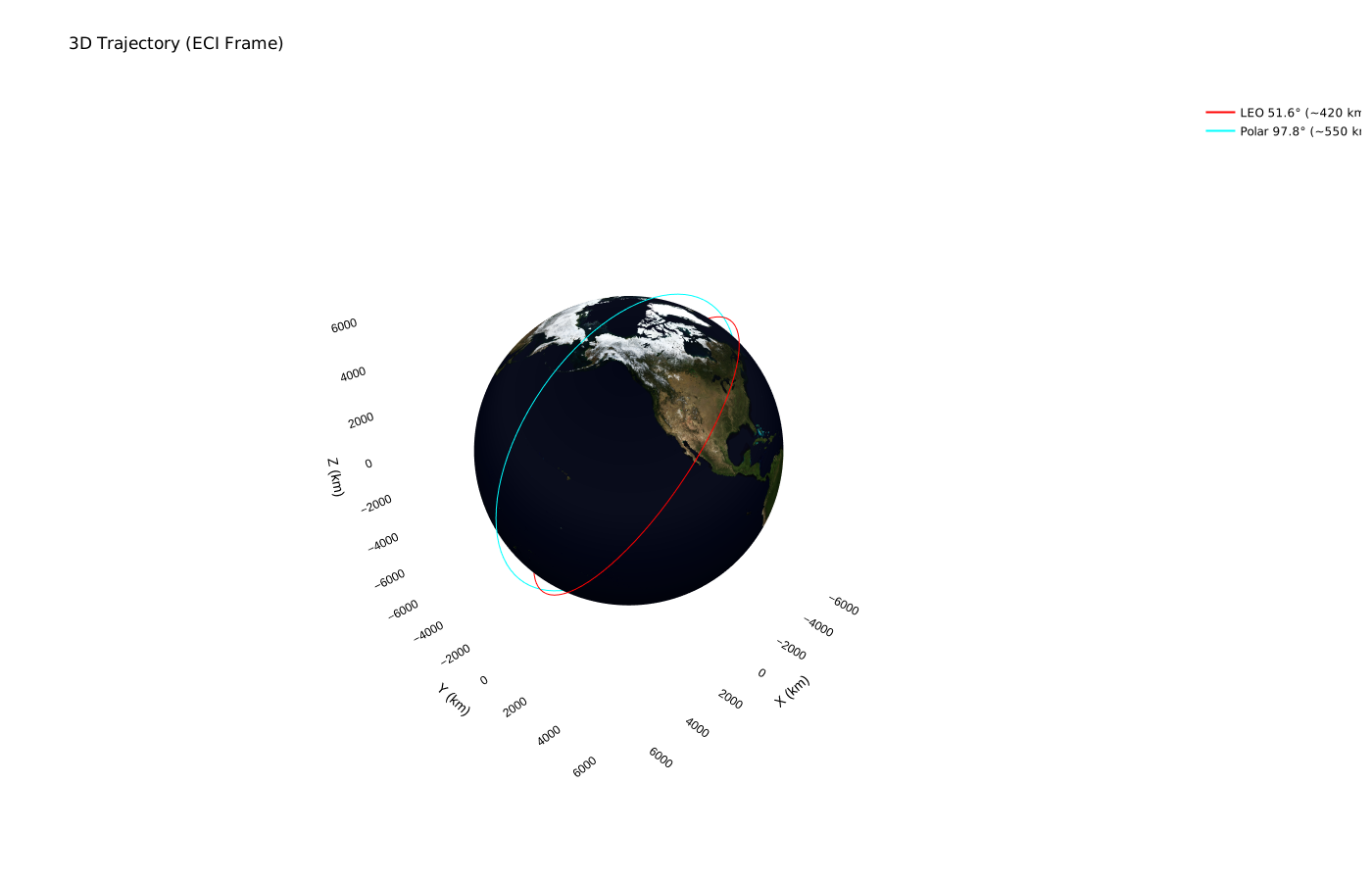
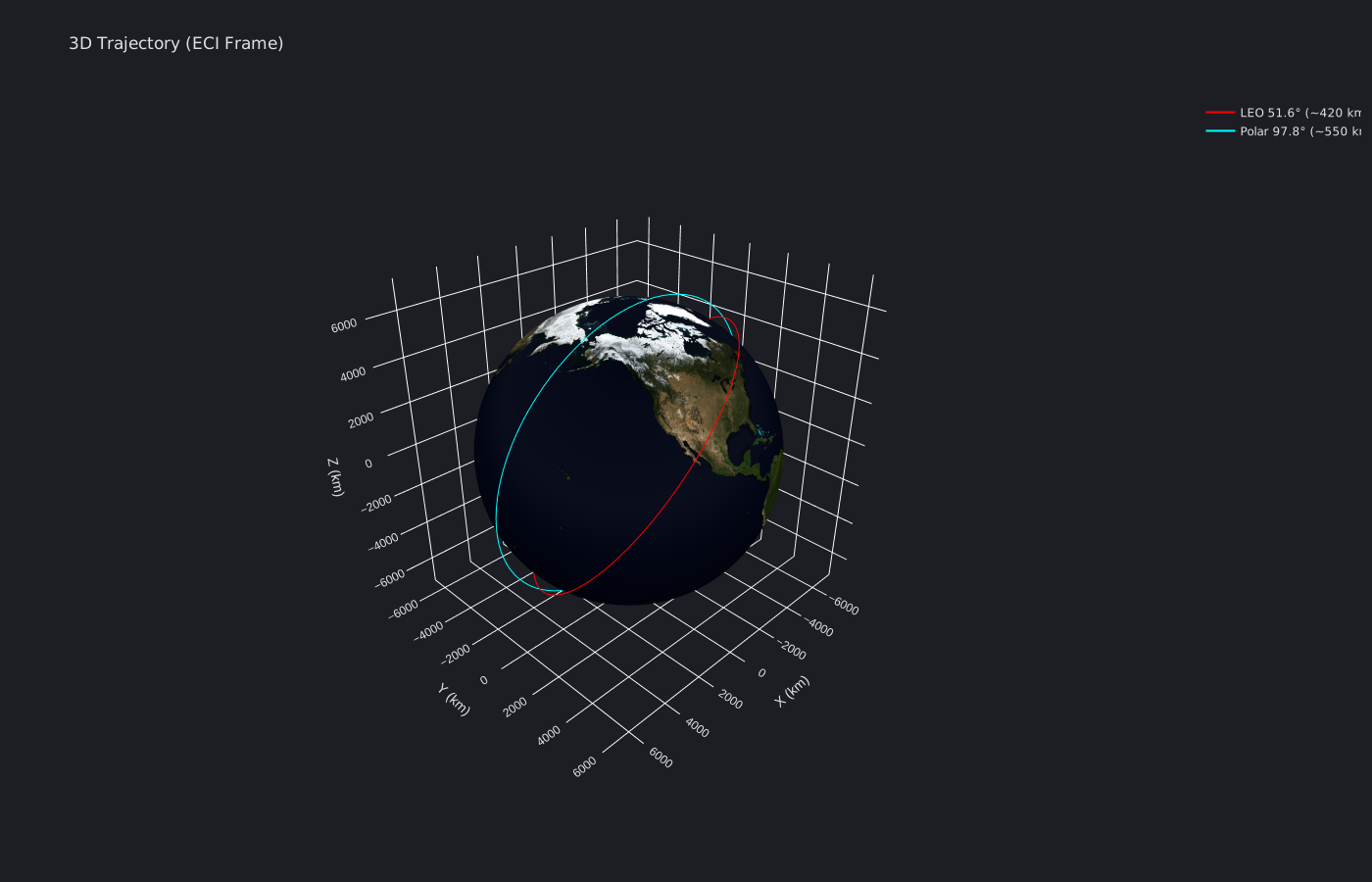
3D Trajectory with Blue Marble 3D Trajectory with Blue Marble

Natural Earth Texture

3D Trajectory with Natural Earth 3D Trajectory with Natural Earth
Plot Source
trajectory_3d_plotly.py
#!/usr/bin/env python
# /// script
# dependencies = ["brahe", "plotly", "numpy"]
# TIMEOUT = 600
# ///
"""
3D Trajectory Plotting Example - Plotly Backend

This script demonstrates how to create an interactive 3D trajectory plot in the ECI frame
using the plotly backend. Shows the ISS orbit around Earth with different texture options.
"""

import numpy as np
import os
import pathlib
import sys
import brahe as bh

# Add plots directory to path for importing brahe_theme
sys.path.insert(0, str(pathlib.Path(__file__).parent.parent.parent))
from brahe_theme import save_themed_html, save_themed_static_image

# Configuration
SCRIPT_NAME = pathlib.Path(__file__).stem
OUTDIR = pathlib.Path(os.getenv("BRAHE_FIGURE_OUTPUT_DIR", "./docs/figures/"))
os.makedirs(OUTDIR, exist_ok=True)

# Initialize EOP data
bh.initialize_eop()


# Define epoch
epoch = bh.Epoch.from_datetime(2024, 1, 1, 0, 0, 0.0, 0.0, bh.TimeSystem.UTC)

# ISS-like orbit (LEO, 51.6° inclination, ~400 km altitude)
oe_iss = np.array(
    [
        bh.R_EARTH + 420e3,  # Semi-major axis (m)
        0.0005,  # Eccentricity
        51.6,  # Inclination
        45.0,  # RAAN
        30.0,  # Argument of perigee
        0.0,  # Mean anomaly
    ]
)
state_iss = bh.state_koe_to_eci(oe_iss, bh.AngleFormat.DEGREES)
prop_iss = bh.KeplerianPropagator.from_eci(epoch, state_iss, 60.0)

# Polar orbit (Sun-synchronous-like, ~550 km altitude)
oe_polar = np.array(
    [
        bh.R_EARTH + 550e3,  # Semi-major axis (m)
        0.001,  # Eccentricity
        97.8,  # Inclination (near-polar)
        180.0,  # RAAN
        60.0,  # Argument of perigee
        0.0,  # Mean anomaly
    ]
)
state_polar = bh.state_koe_to_eci(oe_polar, bh.AngleFormat.DEGREES)
prop_polar = bh.KeplerianPropagator.from_eci(epoch, state_polar, 60.0)

# Generate trajectories
prop_iss.propagate_to(epoch + bh.orbital_period(oe_iss[0]))
traj_iss = prop_iss.trajectory

prop_polar.propagate_to(epoch + bh.orbital_period(oe_polar[0]))
traj_polar = prop_polar.trajectory

# Create 3D trajectory plot with Blue Marble texture (default for plotly)
fig = bh.plot_trajectory_3d(
    [
        {"trajectory": traj_iss, "color": "red", "label": "LEO 51.6° (~420 km)"},
        {"trajectory": traj_polar, "color": "cyan", "label": "Polar 97.8° (~550 km)"},
    ],
    units="km",
    show_earth=True,
    earth_texture="blue_marble",
    backend="plotly",
)

# Save as static images (SVG) - large texture, save as static to reduce file size
light_path, dark_path = save_themed_static_image(
    fig, OUTDIR / SCRIPT_NAME, format="svg", width=1400, height=900
)
print(f"✓ Generated {light_path} (Blue Marble texture - static SVG)")
print(f"✓ Generated {dark_path} (Blue Marble texture - static SVG)")

# Create 3D trajectory plot with simple texture
fig_simple = bh.plot_trajectory_3d(
    [
        {"trajectory": traj_iss, "color": "red", "label": "LEO 51.6° (~420 km)"},
        {"trajectory": traj_polar, "color": "cyan", "label": "Polar 97.8° (~550 km)"},
    ],
    units="km",
    show_earth=True,
    earth_texture="simple",
    backend="plotly",
)

# Save simple texture version as interactive HTML (small file size)
light_path, dark_path = save_themed_html(fig_simple, OUTDIR / f"{SCRIPT_NAME}_simple")
print(f"✓ Generated {light_path} (Simple texture - interactive HTML)")
print(f"✓ Generated {dark_path} (Simple texture - interactive HTML)")

fig_ne = bh.plot_trajectory_3d(
    [
        {"trajectory": traj_iss, "color": "red", "label": "LEO 51.6° (~420 km)"},
        {"trajectory": traj_polar, "color": "cyan", "label": "Polar 97.8° (~550 km)"},
    ],
    units="km",
    show_earth=True,
    earth_texture="natural_earth_50m",
    backend="plotly",
)

# Save Natural Earth texture version as static images (SVG)
light_path, dark_path = save_themed_static_image(
    fig_ne,
    OUTDIR / f"{SCRIPT_NAME}_natural_earth",
    format="svg",
    width=1400,
    height=900,
)
print(f"✓ Generated {light_path} (Natural Earth texture - static SVG)")
print(f"✓ Generated {dark_path} (Natural Earth texture - static SVG)")

print("\nAll plotly figures generated successfully!")

The interactive visualization shows the ISS orbit in 3D space with Earth at the origin. You can:

  • Rotate: Click and drag to change viewing angle
  • Zoom: Scroll or pinch to zoom in/out
  • Pan: Right-click and drag to pan
  • Reset: Double-click to return to default view

Static 3D Trajectory (Matplotlib)

Matplotlib 3D Visualization Limitations

The matplotlib 3D backend does not have a true 3D perspective camera model. Instead is uses a 2D layering system where entire objects (e.g., the entire orbit line, the entire sphere surface) are drawn one on top of the other based on a single, fixed zorder value.

This can lead to visual artifacts where parts of objects that should be behind other objects are incorrectly drawn in front. For example, the far side of an orbit may appear in front of the Earth sphere.

The matplotlib backend produces publication-ready 3D figures with customizable viewing angles.
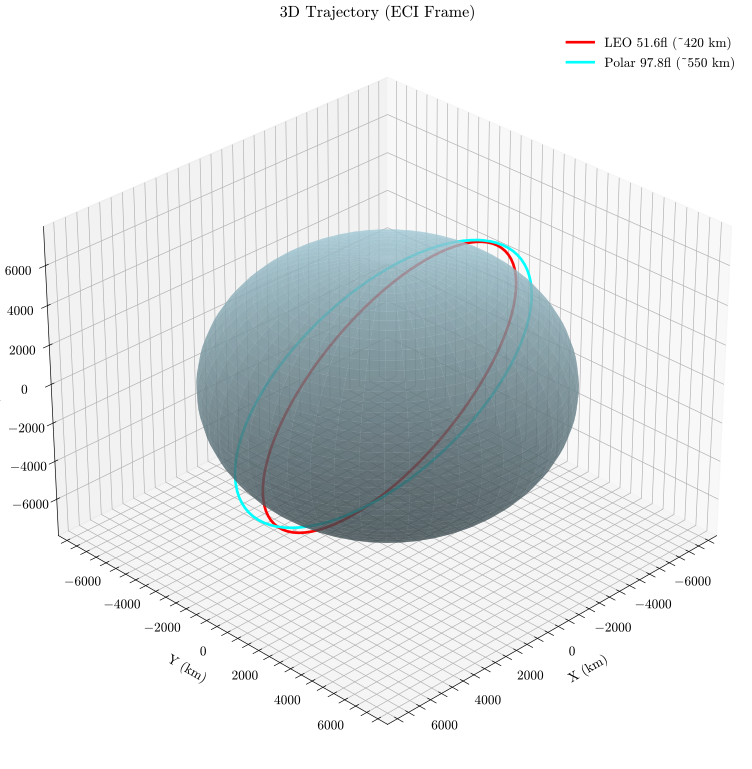
3D Trajectory Plot 3D Trajectory Plot
Plot Source
trajectory_3d_matplotlib.py
#!/usr/bin/env python
# /// script
# dependencies = ["brahe", "matplotlib", "numpy"]
# TIMEOUT = 600
# ///
"""
3D Trajectory Plotting Example - Matplotlib Backend

This script demonstrates how to create a 3D trajectory plot in the ECI frame
using the matplotlib backend. Shows the ISS orbit around Earth with different
texture options for Earth visualization.
"""

import numpy as np
import brahe as bh
import matplotlib.pyplot as plt

# Initialize EOP data
bh.initialize_eop()

# Define epoch
epoch = bh.Epoch.from_datetime(2024, 1, 1, 0, 0, 0.0, 0.0, bh.TimeSystem.UTC)

# ISS-like orbit (LEO, 51.6° inclination, ~400 km altitude)
oe_iss = np.array(
    [
        bh.R_EARTH + 420e3,  # Semi-major axis (m)
        0.0005,  # Eccentricity
        51.6,  # Inclination
        45.0,  # RAAN
        30.0,  # Argument of perigee
        0.0,  # Mean anomaly
    ]
)
state_iss = bh.state_koe_to_eci(oe_iss, bh.AngleFormat.DEGREES)
prop_iss = bh.KeplerianPropagator.from_eci(epoch, state_iss, 60.0)

# Polar orbit (Sun-synchronous-like, ~550 km altitude)
oe_polar = np.array(
    [
        bh.R_EARTH + 550e3,  # Semi-major axis (m)
        0.001,  # Eccentricity
        97.8,  # Inclination (near-polar)
        180.0,  # RAAN
        60.0,  # Argument of perigee
        0.0,  # Mean anomaly
    ]
)
state_polar = bh.state_koe_to_eci(oe_polar, bh.AngleFormat.DEGREES)
prop_polar = bh.KeplerianPropagator.from_eci(epoch, state_polar, 60.0)

# Define time range - one orbital period of the lower orbit
# Generate trajectories
prop_iss.propagate_to(epoch + bh.orbital_period(oe_iss[0]))
traj_iss = prop_iss.trajectory

prop_polar.propagate_to(epoch + bh.orbital_period(oe_polar[0]))
traj_polar = prop_polar.trajectory

# Create 3D trajectory plot in light mode with matplotlib
fig = bh.plot_trajectory_3d(
    [
        {"trajectory": traj_iss, "color": "red", "label": "LEO 51.6° (~420 km)"},
        {"trajectory": traj_polar, "color": "cyan", "label": "Polar 97.8° (~550 km)"},
    ],
    units="km",
    show_earth=True,
    backend="matplotlib",
)

# Save light mode figure
fig.savefig(
    "docs/figures/plot_trajectory_3d_matplotlib_light.svg", dpi=300, bbox_inches="tight"
)
print(
    "3D trajectory plot (matplotlib) saved to: docs/figures/plot_trajectory_3d_matplotlib_light.svg"
)
plt.close(fig)

# Create 3D trajectory plot in dark mode
with plt.style.context("dark_background"):
    fig = bh.plot_trajectory_3d(
        [
            {"trajectory": traj_iss, "color": "red", "label": "LEO 51.6° (~420 km)"},
            {
                "trajectory": traj_polar,
                "color": "cyan",
                "label": "Polar 97.8° (~550 km)",
            },
        ],
        units="km",
        show_earth=True,
        backend="matplotlib",
    )

    # Set background color to match Plotly dark theme
    fig.patch.set_facecolor("#1c1e24")
    for ax in fig.get_axes():
        ax.set_facecolor("#1c1e24")

    # Save dark mode figure
    fig.savefig(
        "docs/figures/plot_trajectory_3d_matplotlib_dark.svg",
        dpi=300,
        bbox_inches="tight",
    )
    print(
        "3D trajectory plot (matplotlib, dark mode, Blue Marble) saved to: docs/figures/plot_trajectory_3d_matplotlib_dark.svg"
    )
    plt.close(fig)

print("\nAll matplotlib figures generated successfully!")

See Also