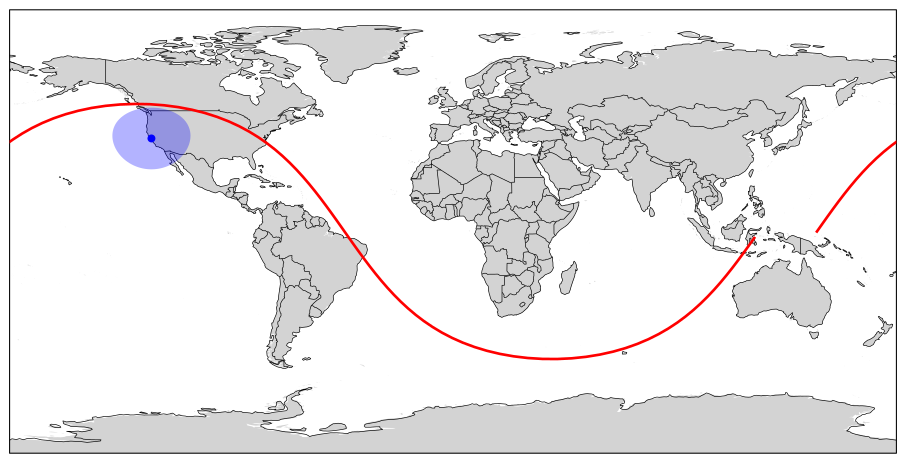
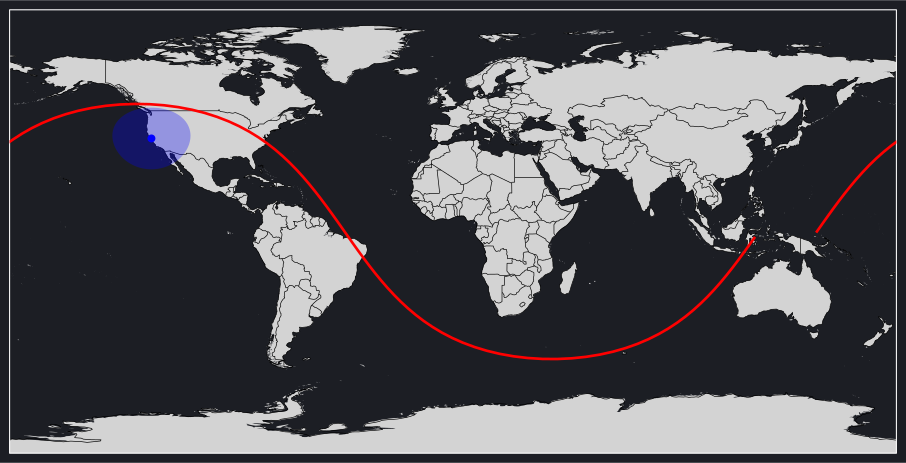
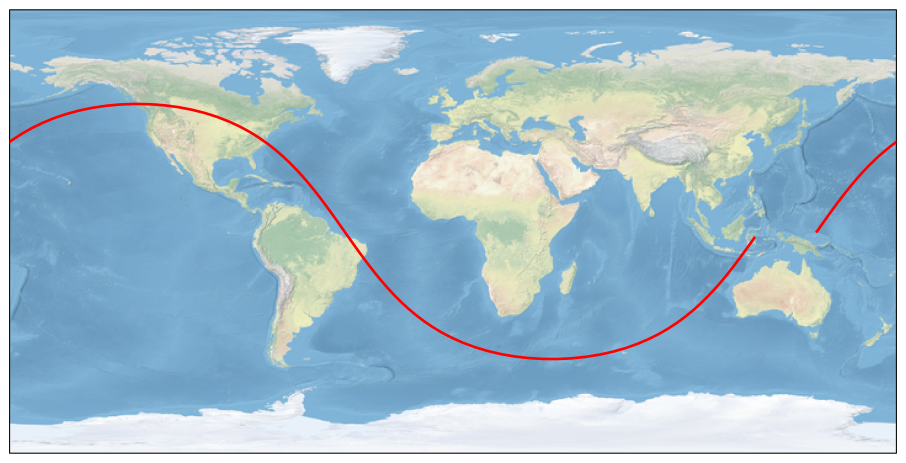
Ground track plotting visualizes the path a satellite traces over Earth's surface. This is essential for mission planning, coverage analysis, and understanding when and where a satellite can communicate with ground stations. Brahe's plot_groundtrack function renders satellite trajectories on a world map with optional ground station markers and communication coverage cones.
"""Ground Track Plotting Example - Plotly BackendThis script demonstrates how to create an interactive ground track plot using the plotly backend.It shows the ISS ground track with a ground station communication cone."""importosimportpathlibimportsysimportbraheasbhimportnumpyasnp# Add plots directory to path for importing brahe_themesys.path.insert(0,str(pathlib.Path(__file__).parent.parent.parent))frombrahe_themeimportsave_themed_html# ConfigurationSCRIPT_NAME=pathlib.Path(__file__).stemOUTDIR=pathlib.Path(os.getenv("BRAHE_FIGURE_OUTPUT_DIR","./docs/figures/"))os.makedirs(OUTDIR,exist_ok=True)# Initialize EOP databh.initialize_eop()# ISS TLE for November 3, 2025tle_line0="ISS (ZARYA)"tle_line1="1 25544U 98067A 25306.42331346 .00010070 00000-0 18610-3 0 9999"tle_line2="2 25544 51.6344 342.0717 0004969 8.9436 351.1640 15.49700017536601"# Create SGP4 propagatorprop=bh.SGPPropagator.from_3le(tle_line0,tle_line1,tle_line2,60.0)# Define ground station (Cape Canaveral)lat=np.radians(28.3922)# Latitude in radianslon=np.radians(-80.6077)# Longitude in radiansalt=0.0# Altitude in metersstation=bh.PointLocation(lat,lon,alt).with_name("Cape Canaveral")# Define time range for one orbital period (~92 minutes for ISS)epoch=prop.epochduration=92.0*60.0# seconds# Generate trajectory by propagatingprop.propagate_to(epoch+duration)traj=prop.trajectory# Create ground track plotfig=bh.plot_groundtrack(trajectories=[{"trajectory":traj,"color":"red"}],ground_stations=[{"stations":[station],"color":"blue","alpha":0.3}],gs_cone_altitude=420e3,# ISS altitudegs_min_elevation=10.0,backend="plotly",)# Save themed HTML fileslight_path,dark_path=save_themed_html(fig,OUTDIR/SCRIPT_NAME)print(f"✓ Generated {light_path}")print(f"✓ Generated {dark_path}")
This example shows:
ISS ground track over one orbital period (red line)
Cape Canaveral ground station (blue marker)
Communication cone showing the region where the ISS is visible above 10° elevation
"""Ground Track Plotting Example - Matplotlib BackendThis script demonstrates how to create a ground track plot using the matplotlib backend.It shows the ISS ground track with a ground station communication cone."""importbraheasbhimportmatplotlib.pyplotasplt# Initialize EOP databh.initialize_eop()# ISS TLE for November 3, 2025tle_line0="ISS (ZARYA)"tle_line1="1 25544U 98067A 25306.42331346 .00010070 00000-0 18610-3 0 9999"tle_line2="2 25544 51.6344 342.0717 0004969 8.9436 351.1640 15.49700017536601"# Create SGP4 propagatorprop=bh.SGPPropagator.from_3le(tle_line0,tle_line1,tle_line2,60.0)# Define ground station (San Francisco)lat=37.7749# Latitude in degreeslon=-122.4194# Longitude in degreesalt=0.0# Altitude in metersstation=bh.PointLocation(lon,lat,alt).with_name("Cape Canaveral")# Define time range for one orbital period (~92 minutes for ISS)epoch=prop.epochduration=92.0*60.0# seconds# Generate trajectory by propagatingprop.propagate_to(epoch+duration)traj=prop.trajectory# Create ground track plot in light modefig=bh.plot_groundtrack(trajectories=[{"trajectory":traj,"color":"red"}],ground_stations=[{"stations":[station],"color":"blue","alpha":0.3}],gs_cone_altitude=420e3,# ISS altitudegs_min_elevation=10.0,backend="matplotlib",)# Save light mode figurefig.savefig("docs/figures/plot_groundtrack_matplotlib_light.svg",dpi=300,bbox_inches="tight")print("Ground track plot (matplotlib, light mode) saved to: docs/figures/plot_groundtrack_matplotlib_light.svg")plt.close(fig)# Create ground track plot in dark modewithplt.style.context("dark_background"):fig=bh.plot_groundtrack(trajectories=[{"trajectory":traj,"color":"red"}],ground_stations=[{"stations":[station],"color":"blue","alpha":0.3}],gs_cone_altitude=420e3,# ISS altitudegs_min_elevation=10.0,backend="matplotlib",)# Set background color to match Plotly dark themefig.patch.set_facecolor("#1c1e24")foraxinfig.get_axes():ax.set_facecolor("#1c1e24")# Save dark mode figurefig.savefig("docs/figures/plot_groundtrack_matplotlib_dark.svg",dpi=300,bbox_inches="tight",)print("Ground track plot (matplotlib, dark mode) saved to: docs/figures/plot_groundtrack_matplotlib_dark.svg")plt.close(fig)
The static plot shows the same information in a clean, professional format suitable for:
"""Ground Track Multiple Spacecraft ExampleThis script demonstrates how to plot ground tracks for multiple satellites simultaneouslywith different colors and line styles."""importosimportpathlibimportsysimportbraheasbhimportnumpyasnp# Add plots directory to path for importing brahe_themesys.path.insert(0,str(pathlib.Path(__file__).parent.parent.parent))frombrahe_themeimportsave_themed_html# ConfigurationSCRIPT_NAME=pathlib.Path(__file__).stemOUTDIR=pathlib.Path(os.getenv("BRAHE_FIGURE_OUTPUT_DIR","./docs/figures/"))os.makedirs(OUTDIR,exist_ok=True)# Initialize EOP databh.initialize_eop()# Define epochepoch=bh.Epoch.from_datetime(2024,1,1,0,0,0.0,0.0,bh.TimeSystem.UTC)# Create three different LEO satellites with different orbits# Satellite 1: Sun-synchronous orbit (polar, high inclination)oe1=np.array([bh.R_EARTH+700e3,0.001,98.0,0.0,0.0,0.0])state1=bh.state_koe_to_eci(oe1,bh.AngleFormat.DEGREES)prop1=bh.KeplerianPropagator.from_eci(epoch,state1,60.0).with_name("Sun-Sync")# Satellite 2: Medium inclination orbitoe2=np.array([bh.R_EARTH+600e3,0.001,55.0,45.0,0.0,90.0,])state2=bh.state_koe_to_eci(oe2,bh.AngleFormat.DEGREES)prop2=bh.KeplerianPropagator.from_eci(epoch,state2,60.0).with_name("Mid-Inc")# Satellite 3: Equatorial orbitoe3=np.array([bh.R_EARTH+800e3,0.001,5.0,90.0,0.0,180.0,])state3=bh.state_koe_to_eci(oe3,bh.AngleFormat.DEGREES)prop3=bh.KeplerianPropagator.from_eci(epoch,state3,60.0).with_name("Equatorial")# Propagate all satellites for 2 orbitsduration=2*bh.orbital_period(oe1[0])prop1.propagate_to(epoch+duration)prop2.propagate_to(epoch+duration)prop3.propagate_to(epoch+duration)# Create ground track plot with all three satellitesfig=bh.plot_groundtrack(trajectories=[{"trajectory":prop1.trajectory,"color":"red","line_width":2},{"trajectory":prop2.trajectory,"color":"blue","line_width":2},{"trajectory":prop3.trajectory,"color":"green","line_width":2},],basemap="natural_earth",backend="plotly",)# Save themed HTML fileslight_path,dark_path=save_themed_html(fig,OUTDIR/SCRIPT_NAME)print(f"✓ Generated {light_path}")print(f"✓ Generated {dark_path}")
This example shows three different LEO orbits: - Red: Sun-synchronous orbit (98° inclination, 700km altitude) - Blue: Medium inclination (55°, 600km altitude) - Green: Equatorial orbit (5° inclination, 800km altitude)
"""Ground Track with NASA NEN Ground Stations ExampleThis script demonstrates plotting ground tracks with the NASA Near Earth Network (NEN)ground stations, showing communication coverage at 550km altitude with 10° minimum elevation.The coverage cones are displayed as geodetic polygons showing actual ground footprints."""importosimportpathlibimportsysimportbraheasbhimportnumpyasnp# Add plots directory to path for importing brahe_themesys.path.insert(0,str(pathlib.Path(__file__).parent.parent.parent))frombrahe_themeimportsave_themed_html# ConfigurationSCRIPT_NAME=pathlib.Path(__file__).stemOUTDIR=pathlib.Path(os.getenv("BRAHE_FIGURE_OUTPUT_DIR","./docs/figures/"))os.makedirs(OUTDIR,exist_ok=True)# Initialize EOP databh.initialize_eop()# Load NASA NEN ground stationsnen_stations=bh.datasets.groundstations.load("nasa nen")print(f"Loaded {len(nen_stations)} NASA NEN stations")# Create a LEO satellite at 550km altitudeepoch=bh.Epoch.from_datetime(2024,1,1,0,0,0.0,0.0,bh.TimeSystem.UTC)oe=np.array([bh.R_EARTH+550e3,0.001,51.6,0.0,0.0,0.0])state=bh.state_koe_to_eci(oe,bh.AngleFormat.DEGREES)prop=bh.KeplerianPropagator.from_eci(epoch,state,60.0).with_name("LEO Sat")# Propagate for 2 orbitsduration=2*bh.orbital_period(oe[0])prop.propagate_to(epoch+duration)# Create ground track plot with NASA NEN stations and communication cones# The coverage cones are automatically computed using proper geodesic geometry,# which correctly handles high latitudes and antimeridian crossingsfig=bh.plot_groundtrack(trajectories=[{"trajectory":prop.trajectory,"color":"red","line_width":2}],ground_stations=[{"stations":nen_stations,"color":"blue","alpha":0.15}],gs_cone_altitude=550e3,# Satellite altitude for cone calculationgs_min_elevation=10.0,# Minimum elevation angle in degreesbasemap="natural_earth",backend="plotly",)# Save themed HTML fileslight_path,dark_path=save_themed_html(fig,OUTDIR/SCRIPT_NAME)print(f"✓ Generated {light_path}")print(f"✓ Generated {dark_path}")
This example demonstrates: - Loading the NASA Near Earth Network (NEN) ground stations from built-in datasets - Computing geodetic coverage zones for each station at 10° minimum elevation - Displaying coverage as semi-transparent filled polygons on the map - Visualizing actual ground footprints for a 550km altitude LEO satellite
The coverage zones are computed as properly transformed geodetic shapes, showing the actual region on Earth's surface where the satellite is visible above the minimum elevation angle.
Available ground station networks include: "atlas", "aws", "ksat", "leaf", "nasa dsn", "nasa nen", "ssc", and "viasat".
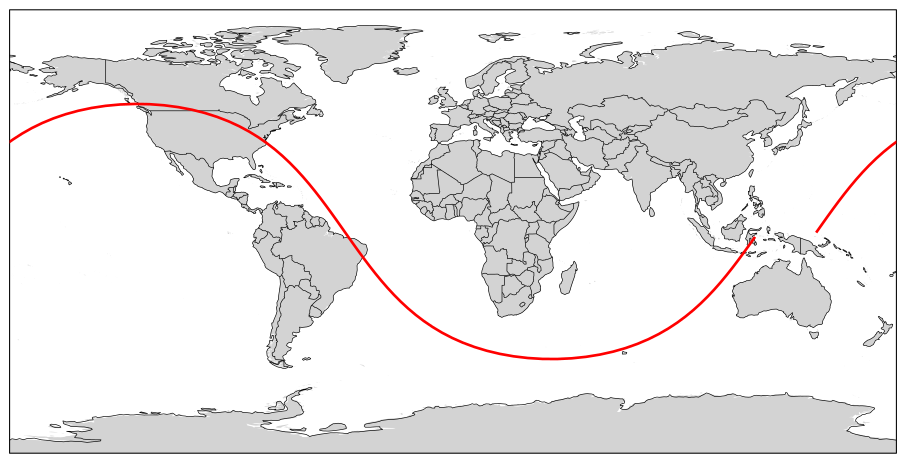
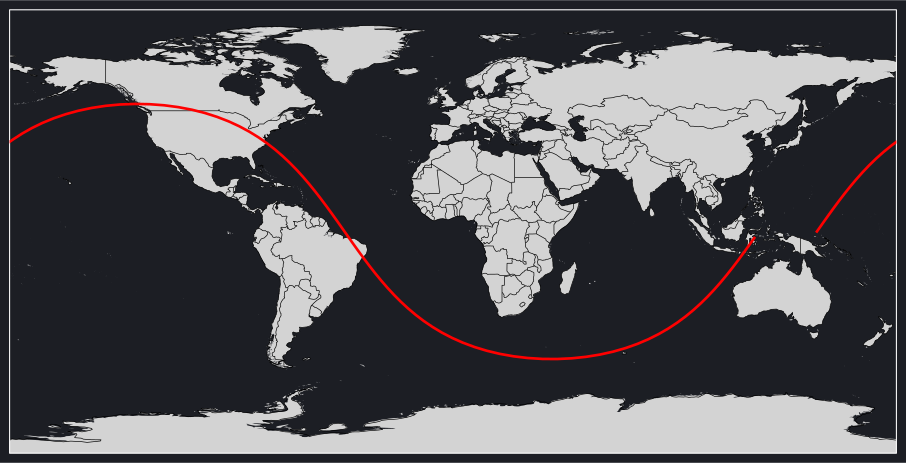
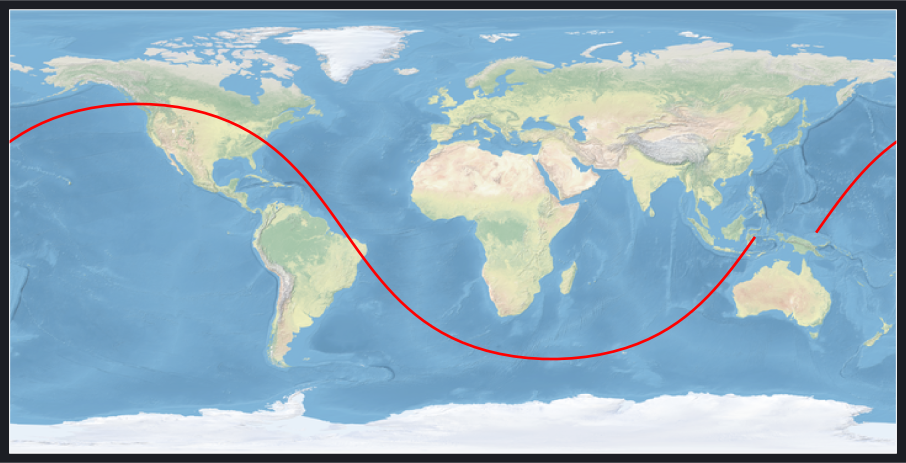
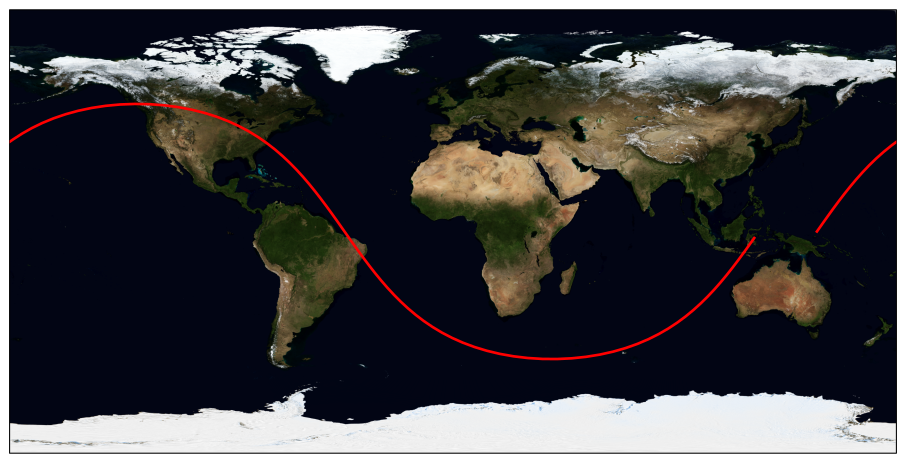
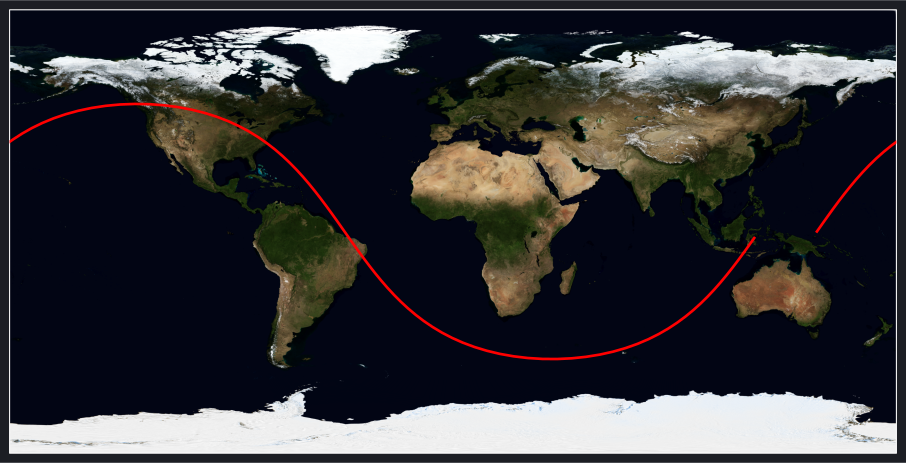
"""Ground Track Basemap Styles ExampleThis script demonstrates different basemap styles available for ground track plots:- natural_earth: High-quality vector basemap from Natural Earth Data- stock: Cartopy's built-in coastlines only- blue_marble: NASA Blue Marble satellite imagery background"""importosimportpathlibimportbraheasbhimportmatplotlib.pyplotaspltfrombrahe.plots.texture_utilsimportget_blue_marble_texture_pathfromPILimportImage# ConfigurationSCRIPT_NAME=pathlib.Path(__file__).stemOUTDIR=pathlib.Path(os.getenv("BRAHE_FIGURE_OUTPUT_DIR","./docs/figures/"))os.makedirs(OUTDIR,exist_ok=True)# Initialize EOP databh.initialize_eop()# ISS TLE for November 3, 2025tle_line0="ISS (ZARYA)"tle_line1="1 25544U 98067A 25306.42331346 .00010070 00000-0 18610-3 0 9999"tle_line2="2 25544 51.6344 342.0717 0004969 8.9436 351.1640 15.49700017536601"# Create SGP4 propagatorprop=bh.SGPPropagator.from_3le(tle_line0,tle_line1,tle_line2,60.0)epoch=prop.epoch# Propagate for one orbital periodduration=92.0*60.0# ~92 minutes for ISSprop.propagate_to(epoch+duration)traj=prop.trajectory# Create three versions with different basemaps# 1. Natural Earth - High-quality vector basemapfig_ne=bh.plot_groundtrack(trajectories=[{"trajectory":traj,"color":"red","line_width":2}],basemap="natural_earth",backend="matplotlib",)fig_ne.savefig(OUTDIR/f"{SCRIPT_NAME}_natural_earth_light.svg",dpi=300,bbox_inches="tight")print(f"✓ Generated {SCRIPT_NAME}_natural_earth_light.svg")plt.close(fig_ne)# 2. Stock - Cartopy built-in features (no outlines)fig_stock=bh.plot_groundtrack(trajectories=[{"trajectory":traj,"color":"red","line_width":2}],basemap="stock",show_borders=False,# Remove country bordersshow_coastlines=False,# Remove coastlinesbackend="matplotlib",)fig_stock.savefig(OUTDIR/f"{SCRIPT_NAME}_stock_light.svg",dpi=300,bbox_inches="tight")print(f"✓ Generated {SCRIPT_NAME}_stock_light.svg")plt.close(fig_stock)# 3. Blue Marble - NASA satellite imagery# Load Blue Marble textureblue_marble_path=get_blue_marble_texture_path()blue_marble_img=Image.open(blue_marble_path)fig_bluemarble=bh.plot_groundtrack(trajectories=[{"trajectory":traj,"color":"red","line_width":2}],basemap=None,# No basemap, we'll add the image manuallyshow_borders=False,# Remove country bordersshow_coastlines=False,# Remove coastlinesbackend="matplotlib",)ax_bm=fig_bluemarble.get_axes()[0]# Display Blue Marble as backgroundax_bm.imshow(blue_marble_img,origin="upper",extent=[-180,180,-90,90],transform=ax_bm.projection,zorder=0,)fig_bluemarble.savefig(OUTDIR/f"{SCRIPT_NAME}_blue_marble_light.svg",dpi=300,bbox_inches="tight")print(f"✓ Generated {SCRIPT_NAME}_blue_marble_light.svg")plt.close(fig_bluemarble)# Generate dark mode versionswithplt.style.context("dark_background"):# Natural Earth (dark)fig_ne_dark=bh.plot_groundtrack(trajectories=[{"trajectory":traj,"color":"red","line_width":2}],basemap="natural_earth",backend="matplotlib",)fig_ne_dark.patch.set_facecolor("#1c1e24")foraxinfig_ne_dark.get_axes():ax.set_facecolor("#1c1e24")fig_ne_dark.savefig(OUTDIR/f"{SCRIPT_NAME}_natural_earth_dark.svg",dpi=300,bbox_inches="tight")print(f"✓ Generated {SCRIPT_NAME}_natural_earth_dark.svg")plt.close(fig_ne_dark)# Stock (dark)fig_stock_dark=bh.plot_groundtrack(trajectories=[{"trajectory":traj,"color":"red","line_width":2}],basemap="stock",show_borders=False,# Remove country bordersshow_coastlines=False,# Remove coastlinesbackend="matplotlib",)fig_stock_dark.patch.set_facecolor("#1c1e24")foraxinfig_stock_dark.get_axes():ax.set_facecolor("#1c1e24")fig_stock_dark.savefig(OUTDIR/f"{SCRIPT_NAME}_stock_dark.svg",dpi=300,bbox_inches="tight")print(f"✓ Generated {SCRIPT_NAME}_stock_dark.svg")plt.close(fig_stock_dark)# Blue Marble (dark)fig_bluemarble_dark=bh.plot_groundtrack(trajectories=[{"trajectory":traj,"color":"red","line_width":2}],basemap=None,# No basemap, we'll add the image manuallyshow_borders=False,# Remove country bordersshow_coastlines=False,# Remove coastlinesbackend="matplotlib",)ax_bm_dark=fig_bluemarble_dark.get_axes()[0]ax_bm_dark.imshow(blue_marble_img,origin="upper",extent=[-180,180,-90,90],transform=ax_bm_dark.projection,zorder=0,)fig_bluemarble_dark.patch.set_facecolor("#1c1e24")foraxinfig_bluemarble_dark.get_axes():ax.set_facecolor("#1c1e24")fig_bluemarble_dark.savefig(OUTDIR/f"{SCRIPT_NAME}_blue_marble_dark.svg",dpi=300,bbox_inches="tight")print(f"✓ Generated {SCRIPT_NAME}_blue_marble_dark.svg")plt.close(fig_bluemarble_dark)
The basemap styles offer different visualization approaches: - Natural Earth: High-quality vector map with political boundaries and natural features (default) - Stock: Minimal Cartopy background without geographic features, ideal for clean presentations - Blue Marble: NASA satellite imagery texture provides photorealistic Earth background
Set the basemap parameter to "natural_earth" (default), "stock", or None to control the map style. For Blue Marble, use basemap=None and manually overlay the texture image.
Backend Capabilities
Matplotlib backend supports all basemap styles including Natural Earth shapefiles and Blue Marble textures.
Plotly backend uses Scattergeo which only supports outline-based maps with solid colors. Custom textures (Natural Earth shapefiles, Blue Marble imagery) are not available in the plotly backend. Use basemap="natural_earth" for a light gray landmass color or basemap="stock" for tan.
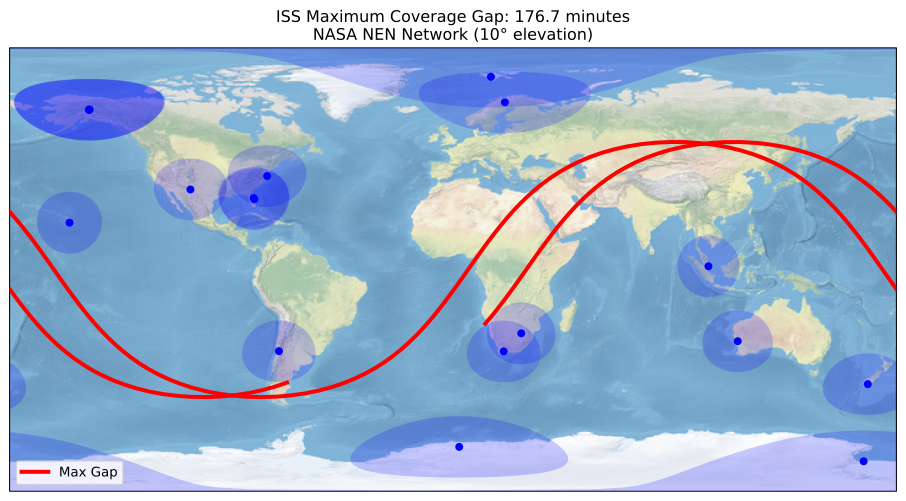
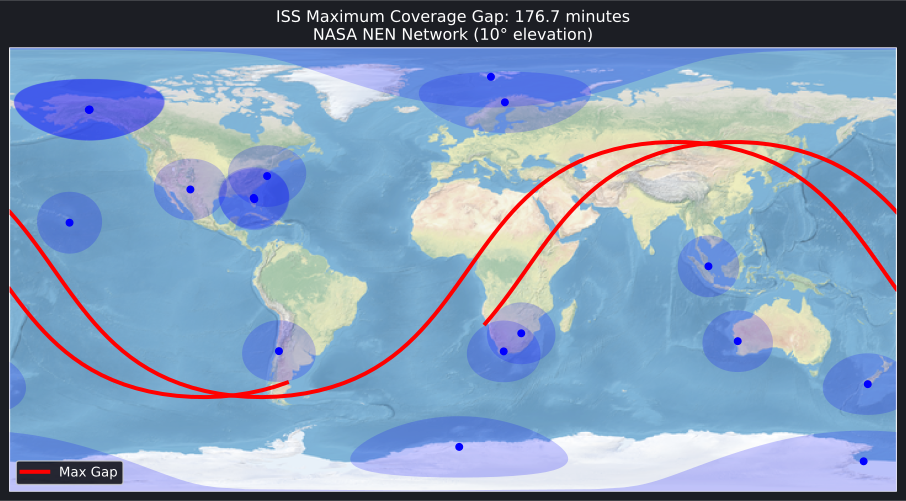
This advanced example identifies the longest period without ground station contact and visualizes only that critical gap segment:
This demonstrates how to: - Compute access windows between a satellite and ground network - Find the longest gap between consecutive contacts - Extract and plot only the gap segment (without the full 24-hour ground track) - Handle antimeridian wraparound with custom plotting
"""Ground Track Maximum Coverage Gap AnalysisThis advanced example demonstrates how to:1. Compute access windows between a satellite and ground station network2. Find the maximum gap between consecutive accesses3. Extract and plot the ground track segment during that gap4. Handle antimeridian wraparound in custom plotting"""importosimportpathlibimportsysimportbraheasbhimportnumpyasnpimportmatplotlib.pyplotaspltimportcartopy.crsasccrs# Add plots directory to path for importing brahe_themesys.path.insert(0,str(pathlib.Path(__file__).parent.parent.parent))# ConfigurationSCRIPT_NAME=pathlib.Path(__file__).stemOUTDIR=pathlib.Path(os.getenv("BRAHE_FIGURE_OUTPUT_DIR","./docs/figures/"))os.makedirs(OUTDIR,exist_ok=True)# Initialize EOP databh.initialize_eop()# Load NASA NEN ground stationsnen_stations=bh.datasets.groundstations.load("nasa nen")print(f"Loaded {len(nen_stations)} NASA NEN stations")# Create ISS propagator using TLEtle_line0="ISS (ZARYA)"tle_line1="1 25544U 98067A 25306.42331346 .00010070 00000-0 18610-3 0 9999"tle_line2="2 25544 51.6344 342.0717 0004969 8.9436 351.1640 15.49700017536601"prop=bh.SGPPropagator.from_3le(tle_line0,tle_line1,tle_line2,60.0)epoch=prop.epoch# Define 24-hour analysis periodduration=24.0*3600.0# 24 hours in secondssearch_end=epoch+duration# Compute access windows with 10° minimum elevationconstraint=bh.ElevationConstraint(min_elevation_deg=10.0)accesses=bh.location_accesses(nen_stations,[prop],epoch,search_end,constraint)print(f"Found {len(accesses)} access windows over 24 hours")# Find the longest gap between consecutive accessesmax_gap_duration=0.0max_gap_start=Nonemax_gap_end=Noneiflen(accesses)>1:# Sort accesses by start timesorted_accesses=sorted(accesses,key=lambdaa:a.start.jd())foriinrange(len(sorted_accesses)-1):gap_start=sorted_accesses[i].endgap_end=sorted_accesses[i+1].startgap_duration=gap_end-gap_start# Difference in secondsifgap_duration>max_gap_duration:max_gap_duration=gap_durationmax_gap_start=gap_startmax_gap_end=gap_end# Check gap from last access to end of periodiflen(sorted_accesses)>0:final_gap_start=sorted_accesses[-1].endfinal_gap_end=search_endfinal_gap_duration=final_gap_end-final_gap_startiffinal_gap_duration>max_gap_duration:max_gap_duration=final_gap_durationmax_gap_start=final_gap_startmax_gap_end=final_gap_endprint("\nMaximum coverage gap:")print(f" Duration: {max_gap_duration/60.0:.2f} minutes")start_dt=max_gap_start.to_datetime()end_dt=max_gap_end.to_datetime()print(f" Start: {start_dt[0]}-{start_dt[1]:02d}-{start_dt[2]:02d}{start_dt[3]:02d}:{start_dt[4]:02d}:{start_dt[5]:02.0f}")print(f" End: {end_dt[0]}-{end_dt[1]:02d}-{end_dt[2]:02d}{end_dt[3]:02d}:{end_dt[4]:02d}:{end_dt[5]:02.0f}")# Propagate satellite for full 24 hours to get complete trajectoryprop.propagate_to(search_end)full_traj=prop.trajectory# Extract ground track segment during maximum gap# Get states and epochs from trajectorystates=full_traj.to_matrix()epochs=full_traj.epochs()# Find indices corresponding to gap periodgap_states=[]gap_epochs=[]gap_lons=[]gap_lats=[]fori,epinenumerate(epochs):ifmax_gap_start<=ep<=max_gap_end:gap_epochs.append(ep)gap_states.append(states[i])# Convert to geodetic coordinatesecef_state=bh.state_eci_to_ecef(ep,states[i])lon,lat,alt=bh.position_ecef_to_geodetic(ecef_state[:3],bh.AngleFormat.RADIANS)gap_lons.append(np.degrees(lon))gap_lats.append(np.degrees(lat))print(f" Points in gap segment: {len(gap_lons)}")# Split ground track at antimeridian crossings for proper plottingsegments=bh.split_ground_track_at_antimeridian(gap_lons,gap_lats)print(f" Track segments (after wraparound split): {len(segments)}")# Create base plot with stations only (no full trajectory)fig=bh.plot_groundtrack(ground_stations=[{"stations":nen_stations,"color":"blue","alpha":0.2}],gs_cone_altitude=420e3,gs_min_elevation=10.0,basemap="stock",show_borders=False,show_coastlines=False,backend="matplotlib",)# Plot only the maximum gap segment in red using custom plottingax=fig.get_axes()[0]fori,(lon_seg,lat_seg)inenumerate(segments):ax.plot(lon_seg,lat_seg,color="red",linewidth=3,transform=ccrs.Geodetic(),zorder=10,label="Max Gap"ifi==0else"",)# Add legendax.legend(loc="lower left")# Add title with gap durationax.set_title(f"ISS Maximum Coverage Gap: {max_gap_duration/60.0:.1f} minutes\n"f"NASA NEN Network (10° elevation)",fontsize=12,)# Save light modefig.savefig(OUTDIR/f"{SCRIPT_NAME}_light.svg",dpi=300,bbox_inches="tight")print(f"\n✓ Generated {SCRIPT_NAME}_light.svg")plt.close(fig)# Create dark mode versionwithplt.style.context("dark_background"):fig_dark=bh.plot_groundtrack(ground_stations=[{"stations":nen_stations,"color":"blue","alpha":0.2}],gs_cone_altitude=420e3,gs_min_elevation=10.0,basemap="stock",show_borders=False,show_coastlines=False,backend="matplotlib",)# Plot only the maximum gap segmentax_dark=fig_dark.get_axes()[0]fori,(lon_seg,lat_seg)inenumerate(segments):ax_dark.plot(lon_seg,lat_seg,color="red",linewidth=3,transform=ccrs.Geodetic(),zorder=10,label="Max Gap"ifi==0else"",)ax_dark.legend(loc="lower left")ax_dark.set_title(f"ISS Maximum Coverage Gap: {max_gap_duration/60.0:.1f} minutes\n"f"NASA NEN Network (10° elevation)",fontsize=12,)# Set dark backgroundfig_dark.patch.set_facecolor("#1c1e24")foraxinfig_dark.get_axes():ax.set_facecolor("#1c1e24")fig_dark.savefig(OUTDIR/f"{SCRIPT_NAME}_dark.svg",dpi=300,bbox_inches="tight")print(f"✓ Generated {SCRIPT_NAME}_dark.svg")plt.close(fig_dark)
This example uses the split_ground_track_at_antimeridian() helper function to properly handle longitude wraparound when plotting custom ground track segments. The helper function detects jumps across the ±180° boundary and splits the track into separate segments for correct rendering.
importnumpyasnp# Define a restricted zonevertices=[(np.radians(30.0),np.radians(-100.0)),# lat, lon(np.radians(35.0),np.radians(-100.0)),(np.radians(35.0),np.radians(-95.0)),(np.radians(30.0),np.radians(-95.0))]zone=bh.PolygonLocation(vertices)fig=bh.plot_groundtrack(trajectories=[{"trajectory":traj}],zones=[{"zone":zone,"fill":True,"fill_color":"red","fill_alpha":0.2,"edge":True,"edge_color":"red"}])
# Focus on North Americafig=bh.plot_groundtrack(trajectories=[{"trajectory":traj}],extent=[-130,-60,20,50],# [lon_min, lon_max, lat_min, lat_max]backend="matplotlib")