Plotting & Visualization
Brahe provides quick and convenient plotting functions for visualizing orbital trajectories, ground tracks, access windows, and other astrodynamics data. The plotting module is designed to make it easy to generate publication-quality figures with minimal code while offering flexibility for customization.
Experimental API
The plotting API in brahe is currently experimental and may undergo significant changes in future releases. While we strive to maintain backward compatibility, functions, parameters, or behaviors may change as we refine the plotting capabilities based on user feedback and evolving best practices in data visualization. These changes may occur in minor or patch releases.
Dual Backend System
All plotting functions in brahe support two rendering backends, allowing you to choose the best tool for your workflow:
Matplotlib Backend
The matplotlib backend generates static, publication-ready figures. This is the default backend and is ideal for academic papers and technical reports.
Science Plots Styling
Brahe integrates with the scienceplots package to provide publication-quality matplotlib styling. When scienceplots is installed, brahe automatically applies clean, professional styling to matplotlib plots.
To enable science plots styling either install brahe with all optional dependencies:
Or install scienceplots separately:
To take full advantage of science plots styling, you can need a \(\LaTeX\) installation on your system, as scienceplots uses LaTeX for rendering text in plots. See the scienceplots documentation for guidance on setting up LaTeX.
If scienceplots is not installed, brahe falls back to standard matplotlib styling.
Plotly Backend
The plotly backend creates interactive HTML figures that can be explored in a web browser. This backend is perfect for interactive exploration of data or sharing results via web pages or notebooks.
Both backends use the same function signatures and parameters, making it trivial to switch between static and interactive outputs.
Available Plot Types
Brahe provides specialized plotting functions for common astrodynamics visualization tasks:
Ground Track Plots
Visualize satellite ground tracks on a world map with ground stations and communication coverage zones.
3D Trajectory Plots
Visualize orbital trajectories in 3D space with an optional Earth sphere.
Access Geometry Plots
Visualize satellite visibility from ground stations using polar plots (azimuth/elevation) or elevation profiles over time.
Orbital Element Plots
Track how orbital elements evolve over time in both Cartesian and Keplerian representations.
Gabbard Diagrams
Analyze debris clouds or satellite constellations by plotting orbital period versus apogee/perigee altitude.
Estimation Plots
Visualize estimation filter performance with state error grids, covariance bounds, measurement residuals, and marginal distributions.
Common Features
All plotting functions share consistent design patterns:
- Grouped plotting: Plot multiple trajectories, stations, or objects with different colors and labels
- Flexible inputs: Accept propagators, trajectories, or raw numpy arrays
- Unit conversion: Automatic handling of meters/kilometers, radians/degrees, etc.
- Time filtering: Optional time range filtering for all trajectory plots
- Customization: Control colors, line widths, markers, and other visual properties
Quick Start Example
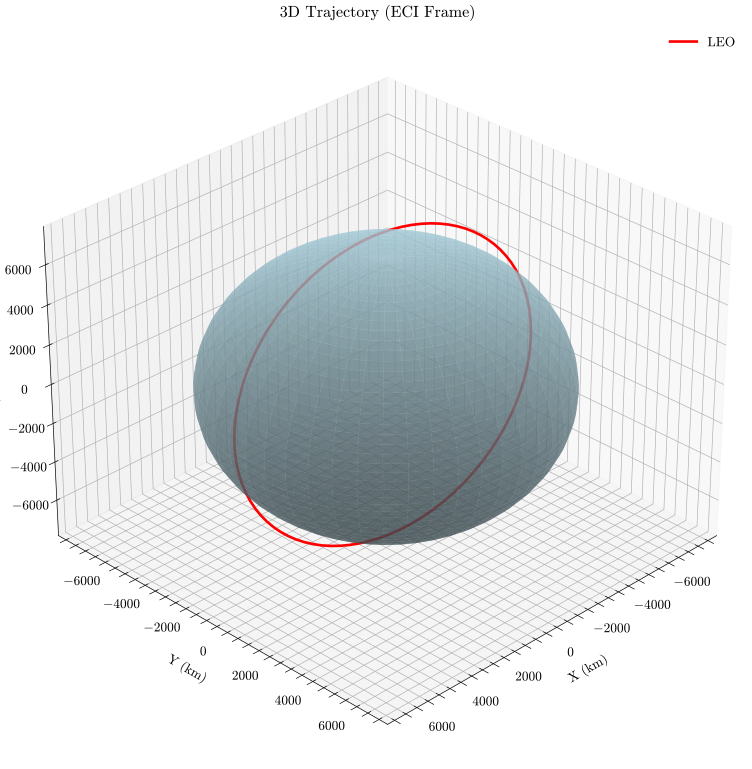
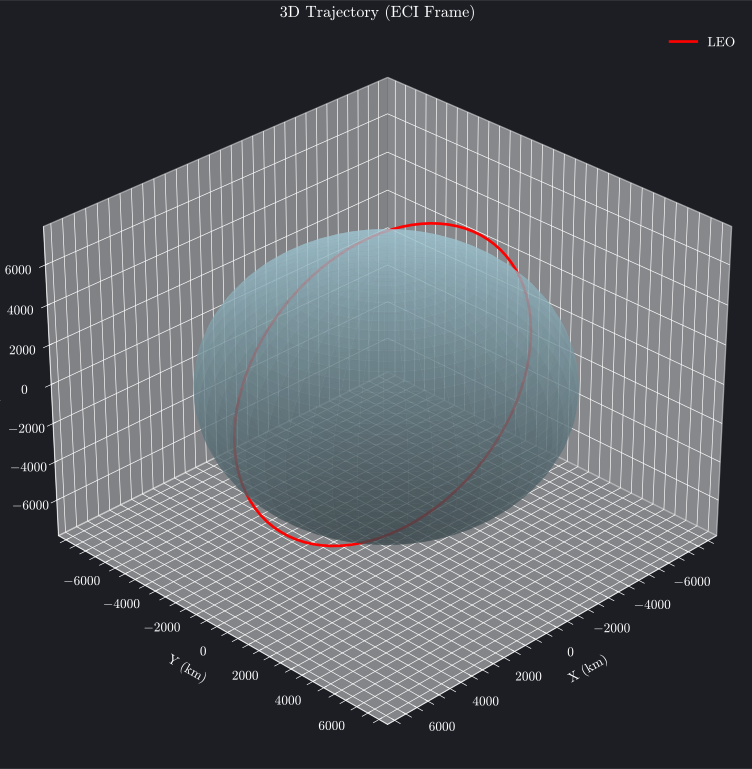
This example shows how to create a simple LEO orbit and visualize it in 3D. It demonstrates the core plotting workflow: define an orbit, propagate it, and visualize the results. Both plotly and matplotlib backends are shown.
Matplotlib 3D Visualization Limitations
The matplotlib 3D backend does not have a true 3D perspective camera model. Instead is uses a 2D layering system where entire objects (e.g., the entire orbit line, the entire sphere surface) are drawn one on top of the other based on a single, fixed zorder value.
This can lead to visual artifacts where parts of objects that should be behind other objects are incorrectly drawn in front. For example, the far side of an orbit may appear in front of the Earth sphere.
Interactive Plot (Plotly)
Plot Source
Static Plot (Matplotlib)
Plot Source
See Also
- Ground Track Plotting - Satellite ground tracks and coverage
- Gabbard Diagrams - Debris cloud analysis
- 3D Trajectories - Orbital paths in 3D space
- Access Geometry - Ground station visibility
- Orbital Elements - Element evolution over time
- API Reference - Complete function documentation